
Object Windows
The following changes were made to the Object Viewer and Open Object window.
Find Slots Feature - Specify Scope
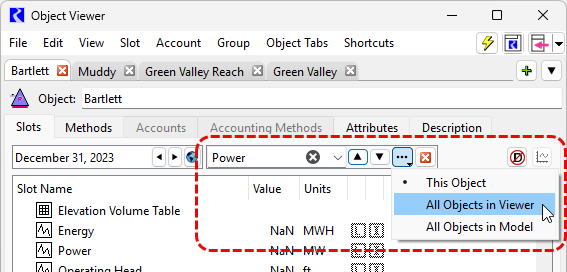
The Find Slots utility in the Object Viewer and Open Object Window allows you to quickly search for slots with names containing the text entered in the Find Slots field. The Find Slots feature is shown by selecting Find from the Edit menu in the object windows or by using Ctrl+F. You can now specify the scope when performing a find.
The available options for the scope are
• This Object (the default)
• All Objects in Viewer
• All Objects in the Model
When either of the “All Objects” options is selected, when the search reaches the end of the slot list for the currently displayed object, it will continue on to the slot list for the next object within the scope.
Figure 1.7 Find Slots feature showing scope specification
See Find Slots in User Interface for more information.
Filter Slots
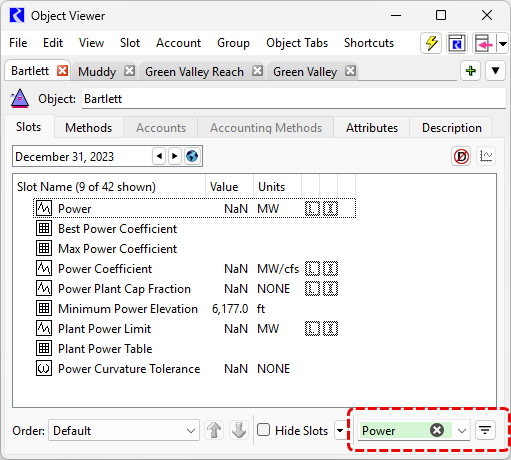
A new Filter Slots feature at the bottom right of the Object Viewer and Open Object window allows you to filter the slot list to show only those slots whose names contain the text entered in the filter.
Figure 1.8 New Filter Slots feature in the Object Viewer. Only slots whose name contains “Power” are shown
See Filtering Slots in User Interface for more information.
Revised: 11/12/2026